If you’re experiencing issues renewing your account or completing the payment for your membership, please follow the steps below to resolve the issue.
There were some technical difficulties on our end, but the issue has now been fixed.
Step-by-Step Guide:
-
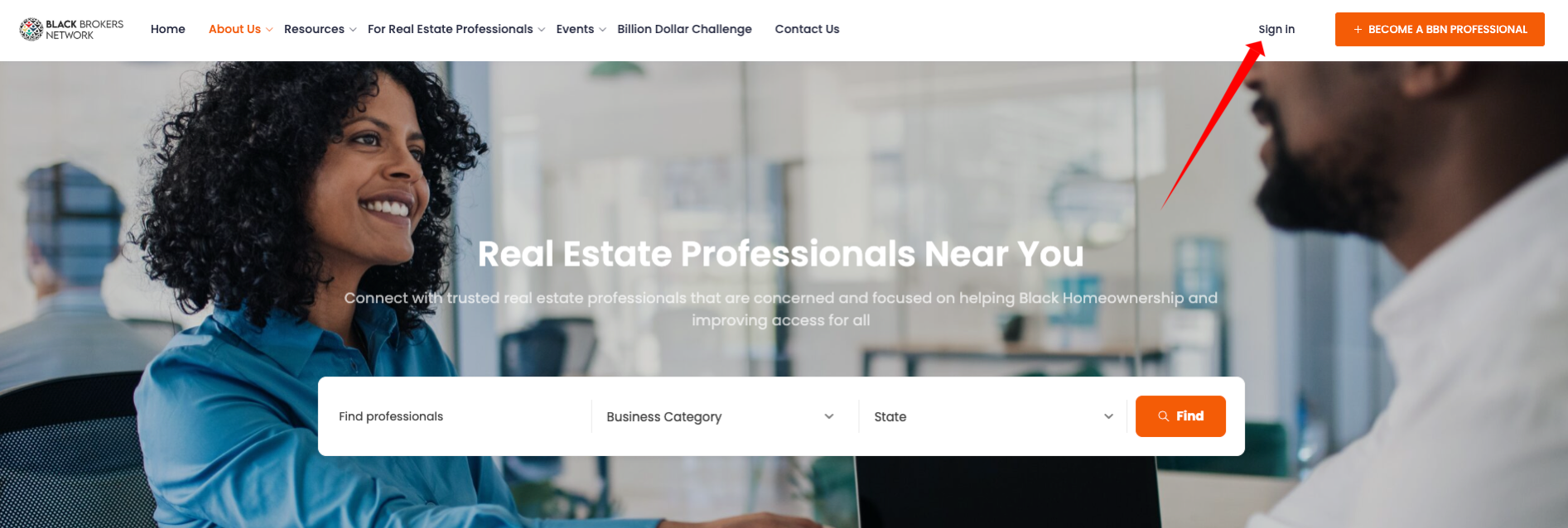
Sign In
Click on the “Sign In” link located at the top right corner of the page.
-
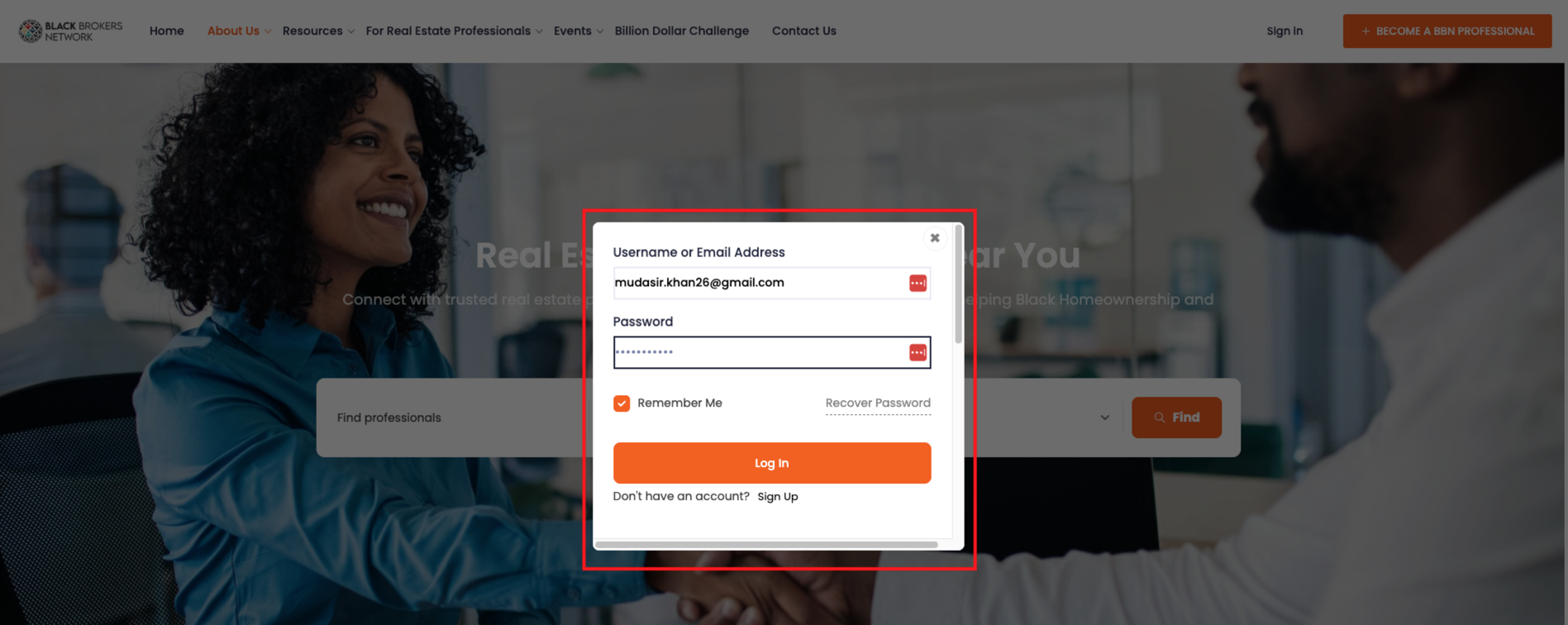
Enter Login Credentials
Enter your email or username and password, then click on Login to access your account.
-
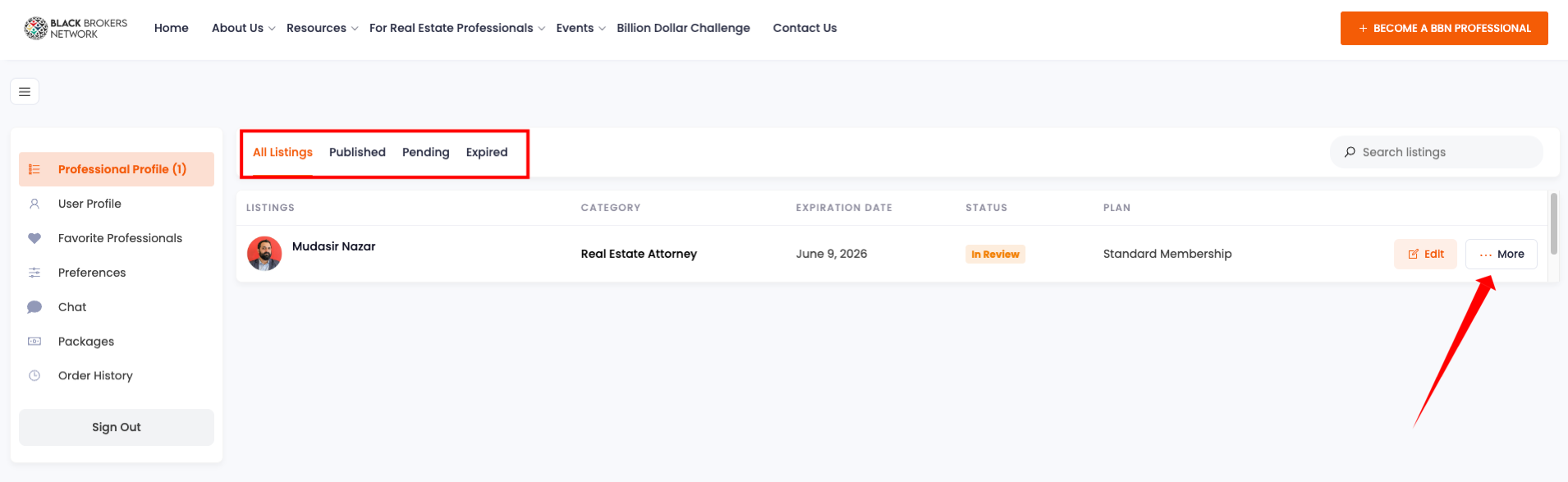
Access Your Dashboard
Once you’re logged in, you’ll be directed to your Dashboard.
-
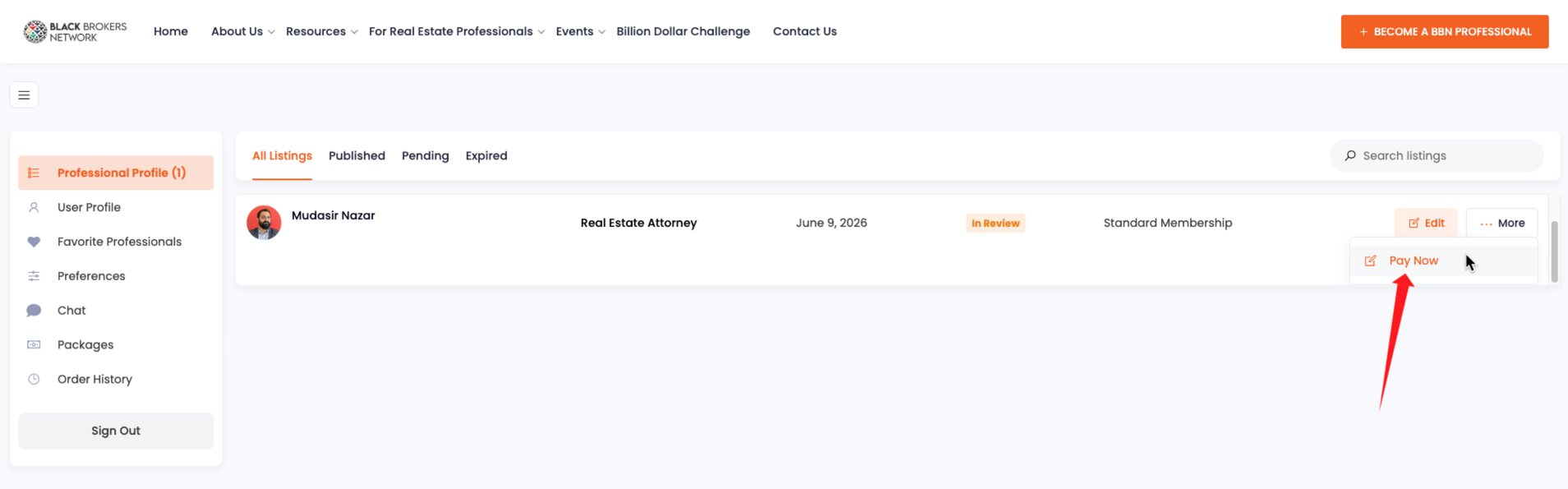
Locate the Payment Link
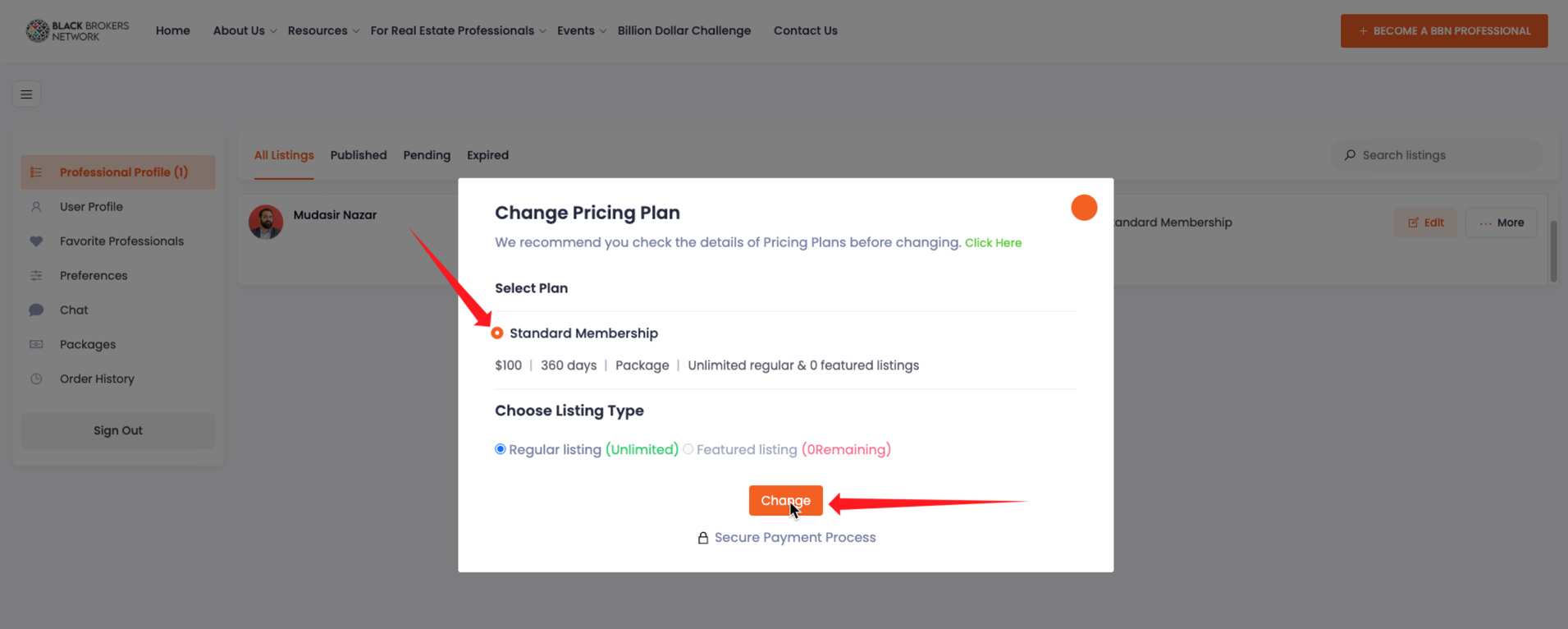
On your dashboard, find the payment link to complete your membership renewal. Click on the More button, then scroll down to find the Payment Link.
-
Click on the Payment Link
Click on the Pay Now link. A pop-up will appear—select Standard Membership and then click on the orange button to proceed.
-
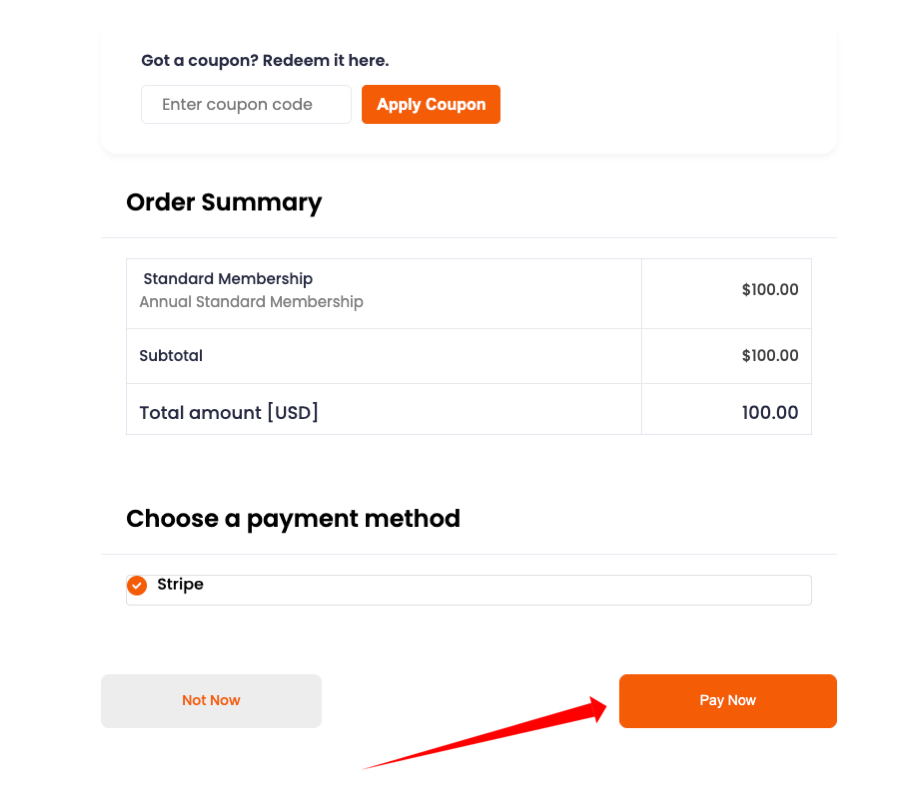
Complete the Payment
Scroll down and click the Pay Now button to continue with the payment process.
-
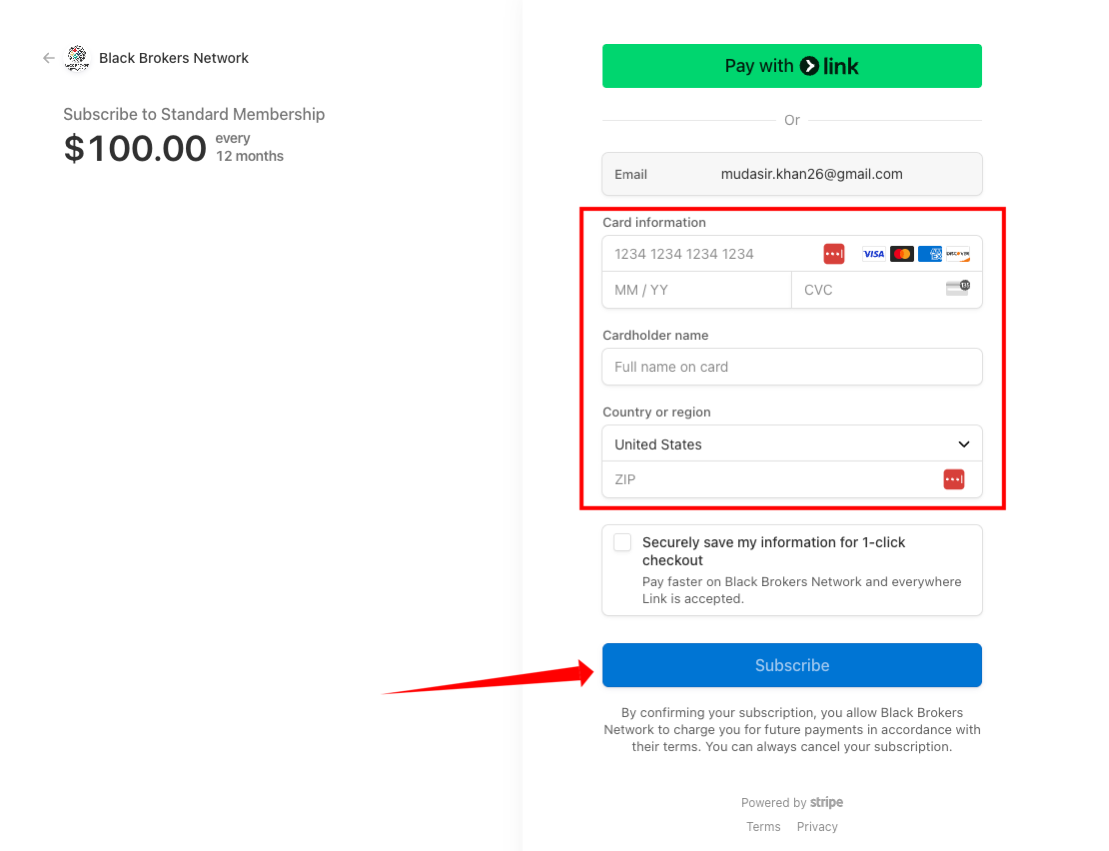
Enter Payment Details
You’ll be redirected to Stripe. Enter your payment information and complete the payment.
If you are still encountering any issues, please feel free to reach out to us.
You can contact us directly via email at info@blackbrokersnetwork.com or simply fill out the contact form on our website:
Contact Us Form
We’re here to assist you!